



Ever turn on your personal hotspot, connect your laptop, and five minutes later, your mobile data is almost gone? We’ve all been there. Hotspots are lifesavers when Wi-Fi goes down, but they can be sneaky data guzzlers. So, if you’ve ever wondered “what is a personal hotspot,” why it drains your data faster than you realise, and most importantly, how you can make it work for you without emptying your wallet, stick around. By the end, you’ll not only understand what a personal hotspot is, but you’ll also have practical tips to use it smartly.
What Is a Personal Hotspot?
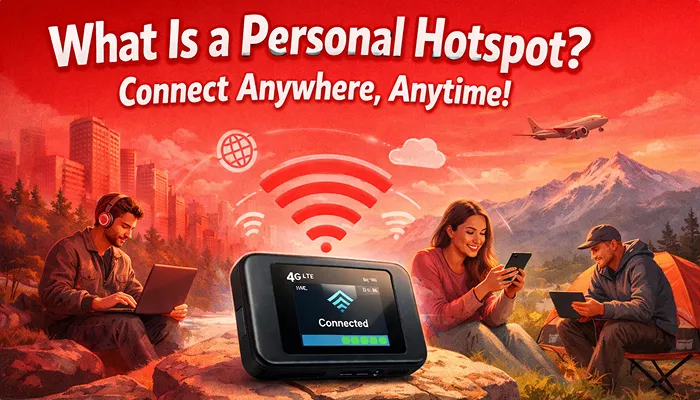
In the simplest terms, a personal hotspot is your phone acting like a tiny Wi-Fi router. It takes the mobile data from your SIM or eSIM and shares it with other devices, laptops, tablets, or even a friend’s phone. The catch? Your hotspot only works if your phone has mobile data. No data, no hotspot magic. That’s why people get frustrated when traveling abroad or in areas without Wi-Fi.
Why Does a Personal Hotspot Use So Much Data?
You might wonder: “I’m just browsing emails and streaming a little music, why is my data disappearing?” Here’s the secret:
- Background apps love your hotspot. Cloud backups, photo syncs, and app updates are quietly sipping your data.
- Video calls and streaming gobble bandwidth like a kid in a candy store.
- Multiple devices connected at once? That’s a data buffet right there.
Your hotspot is generous. It shares with anyone and anything connected. But without managing it, your data evaporates fast.
Here’s a tip: if you want your hotspot to behave, you need reliable data you can control. That’s where SlickeSIM comes in. With instant activation, you can have data ready wherever you are. No local SIM, no airport lines, no Wi-Fi hunt. Your hotspot stays alive and kicking. Most importantly, you can track your data usage with real-time updates inside the Slick app.
Practical Tips to Avoid Data Drain
Alright, let’s get tactical. Here’s how to stretch every megabyte while using a personal hotspot:
1. Turn Off Auto Updates and Background Apps
Cloud backups, software updates, and app refreshes silently consume your hotspot data.
Solution: Pause automatic updates, close unnecessary apps, and check your device’s data usage regularly. This simple step alone can save hundreds of MBs, especially if you’re on a limited plan.
2. Use Audio Calls Instead of Video
Video calls are fun, but they’re data monsters. A 30-minute video call can burn hundreds of MBs, while an audio call uses a fraction of that.
3. Secure Your Hotspot and Limit Connections
An open hotspot is like leaving your front door unlocked; anyone nearby can grab your data. Limit the number of devices connected to your hotspot and always use a strong password. Fewer devices = faster speed, less data usage, and longer battery life.
Extra tip: Check which devices are connected to your hotspot in your hotspot settings, and remove any unfamiliar devices. This keeps your connection safe and ensures your important devices get priority bandwidth.
4. Keep Your Phone Charged
Sharing your mobile data is thirsty work. Hotspots drain the battery quickly, especially when multiple devices are connected.
5. Use eSIM for Reliable Data
With SlickeSIM, you get instant mobile data without a physical SIM. That means your hotspot works anywhere, from your hotel in Manila to a café in Toronto. Share data across multiple devices, make international calls without Wi-Fi, and recharge instantly in the app.
Conclusion
A personal hotspot is a lifesaver, but only when you control your data and devices wisely. Turn off unnecessary apps, limit connections, stick to audio calls, and keep your phone charged. And for that extra peace of mind, the Slick app allows you to track your data eSIM usage right from the app. Get your SlickeSIM today and make your personal hotspot truly work for you.